
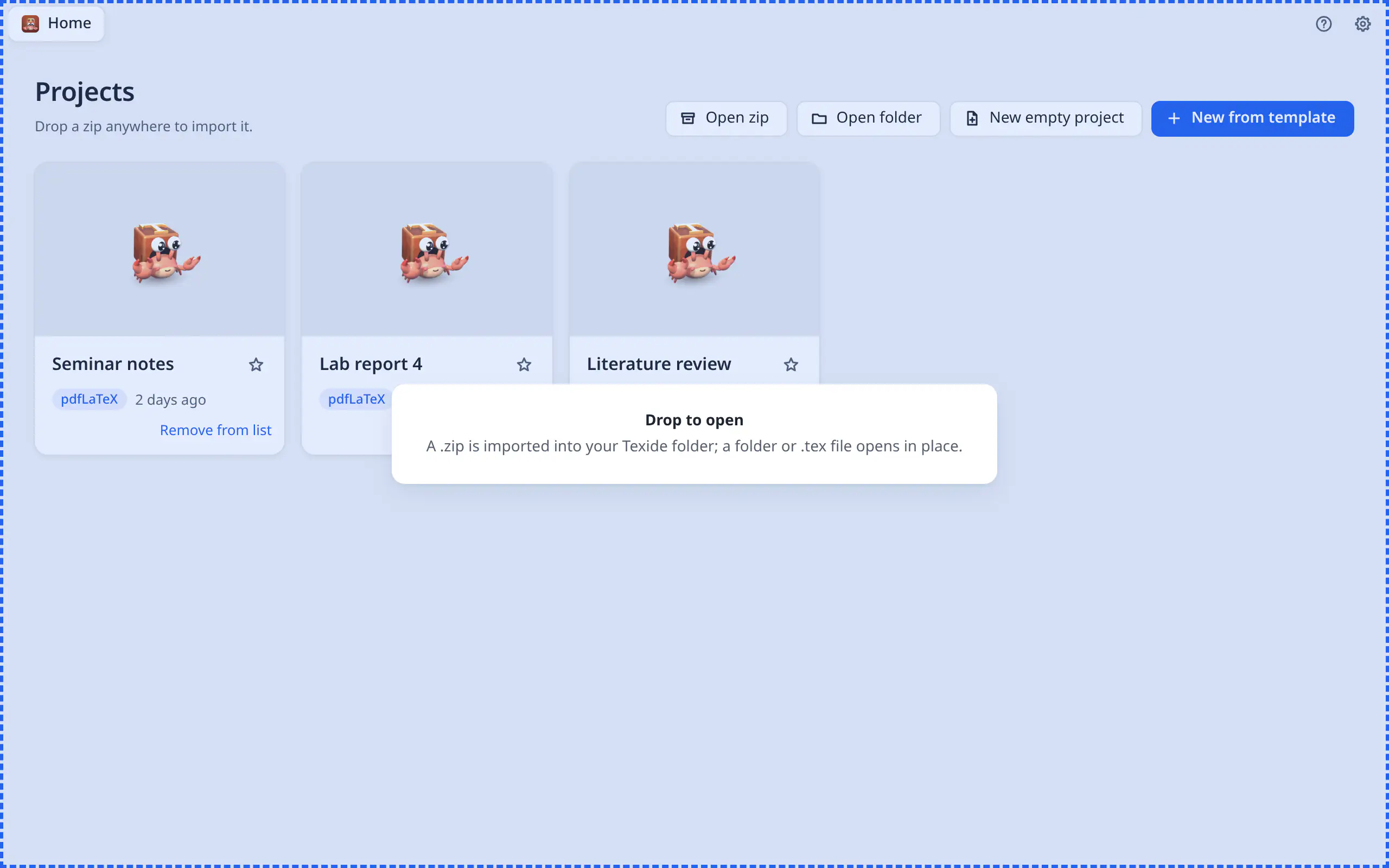
Drop a zip.
Get a PDF.
TexIDE is a LaTeX editor for Windows and Linux that compiles any project with zero setup. It finds the main file, the engine and the bibliography tool, and installs a private TeX Live if you don’t have one.
Your supervisor sends thesis.zip. Drop it on TexIDE: that is the whole first step.

Missing packages install themselves
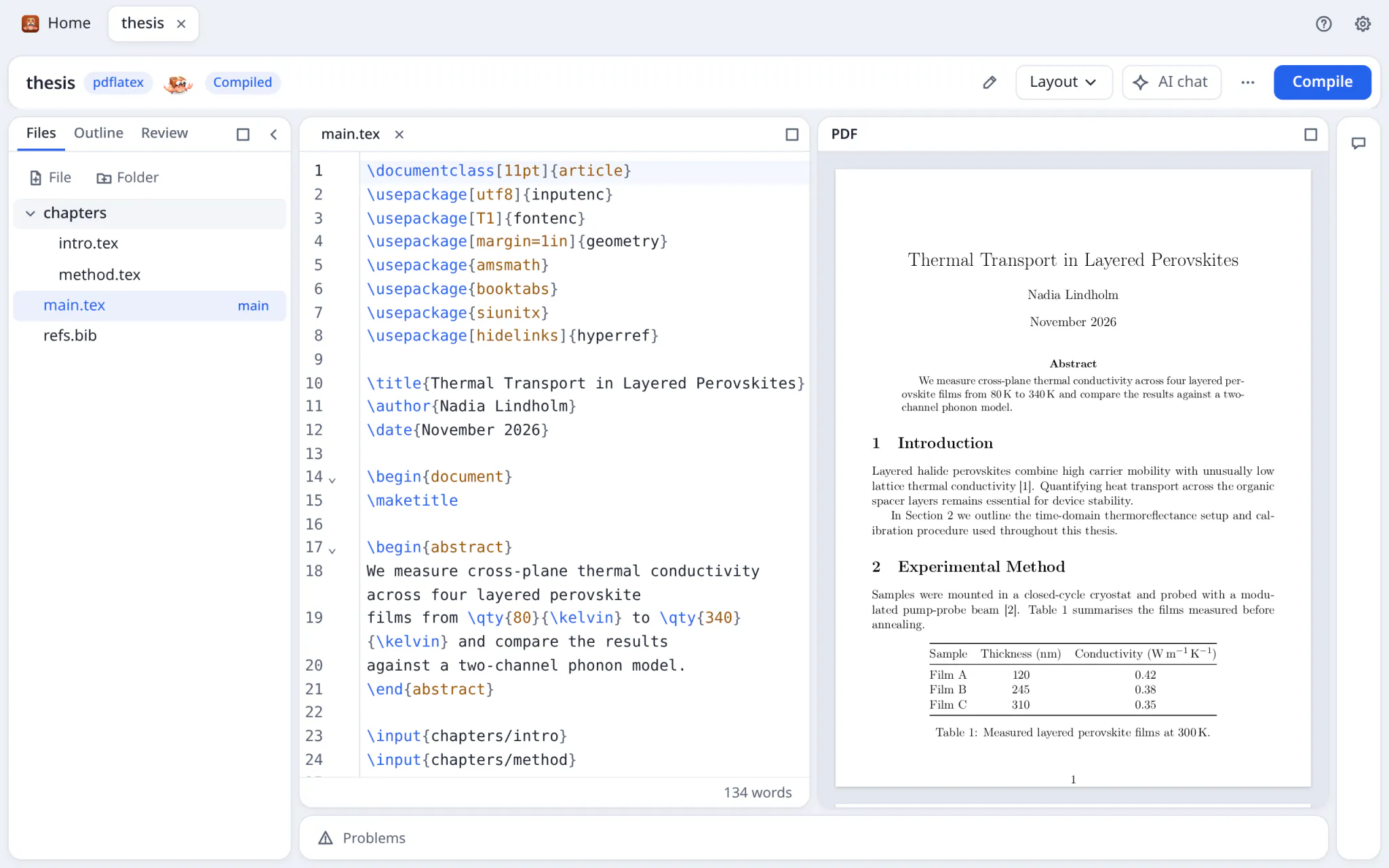
TexIDE picks the main file, the engine and the bibliography tool (BibTeX or Biber) and starts compiling. It uses your system TeX Live, or installs a private one on demand, and fetches missing packages as the compile needs them. Here the thesis needs booktabs and siunitx.
The first private install takes as long as your connection needs. The clock on this page tells a story; it is not a benchmark.

A PDF, beside the source
Compile on save or while typing; the last PDF stays on screen until the new one is ready. SyncTeX works both ways: jump from a line to its place in the PDF, or click the PDF to land in the source.

Errors you can read, with one-click fixes
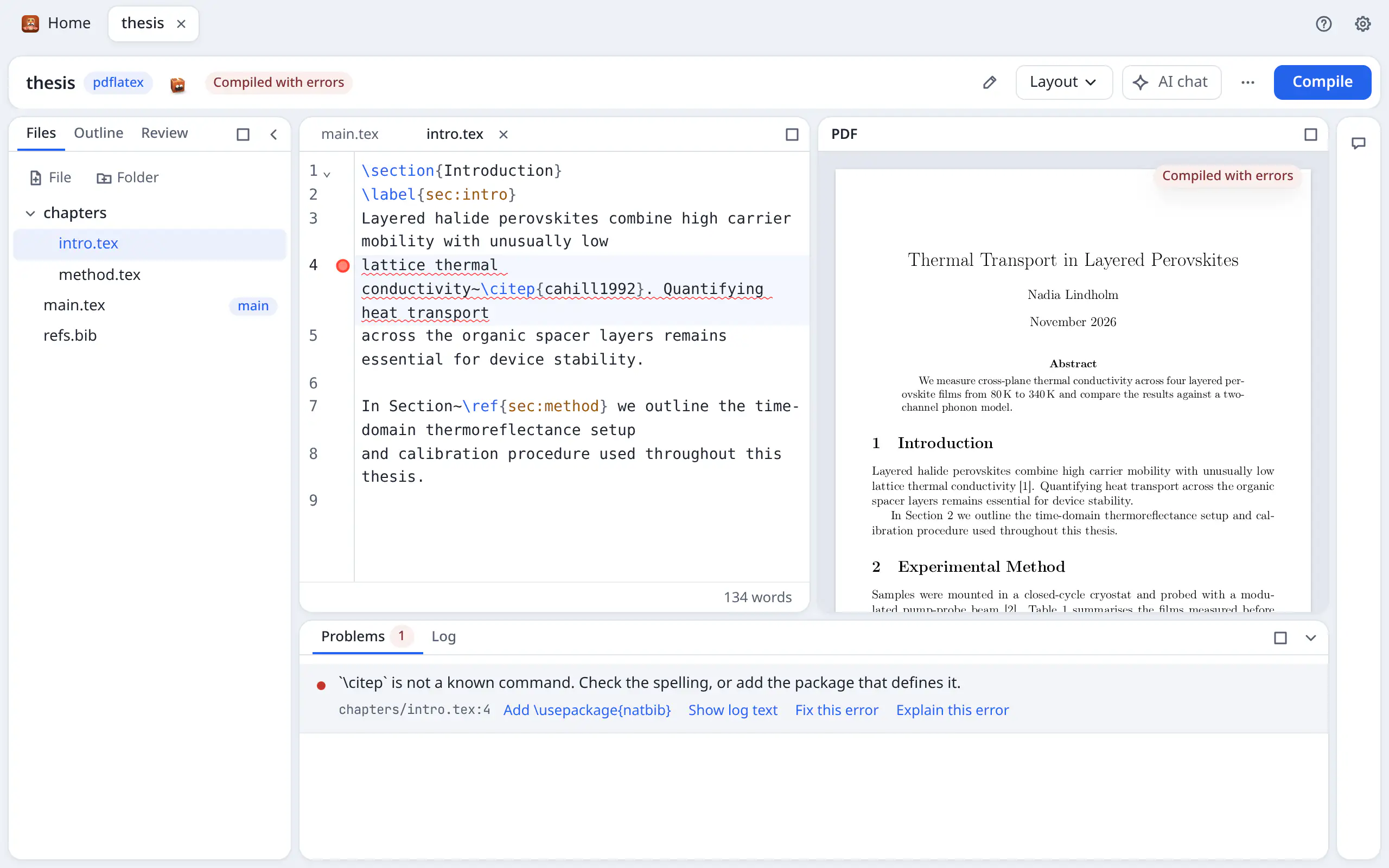
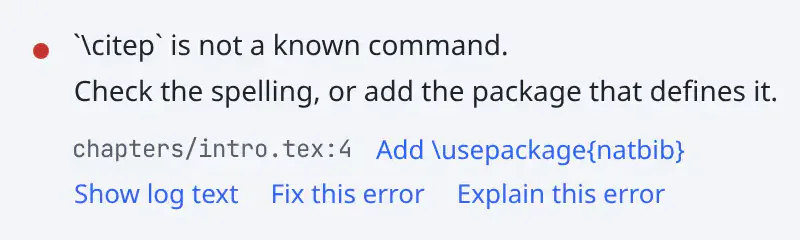
Compiler output becomes a problems list with file and line. Here \citep is not a known command at chapters/intro.tex line 4, and the fix is one click: Add \usepackage{natbib}. Other fixes close a } or \end{…} or escape a stray &.
Fix this error asks the AI instead, which proposes an edit you review.
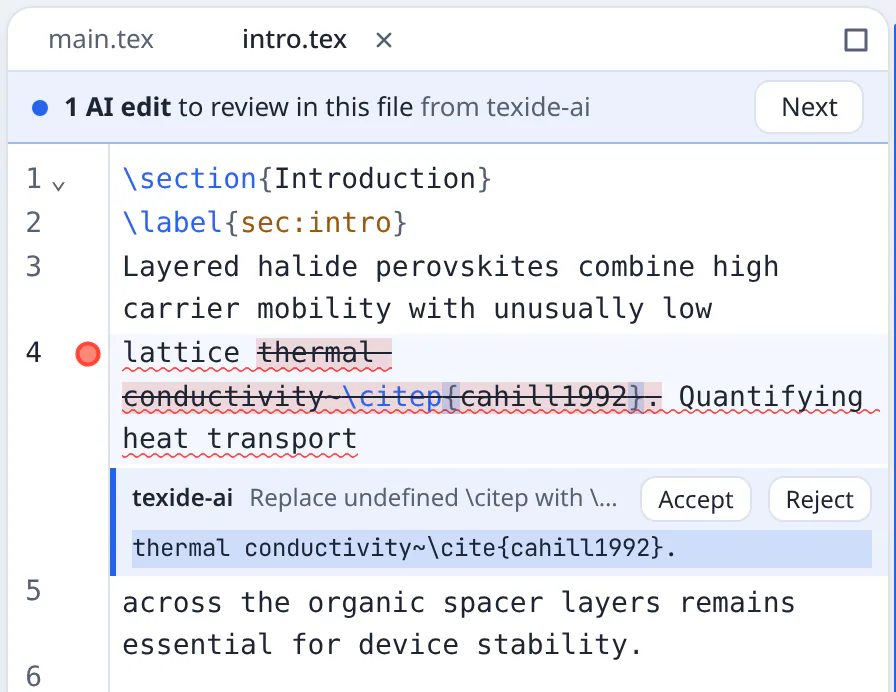
AI proposes. You decide.
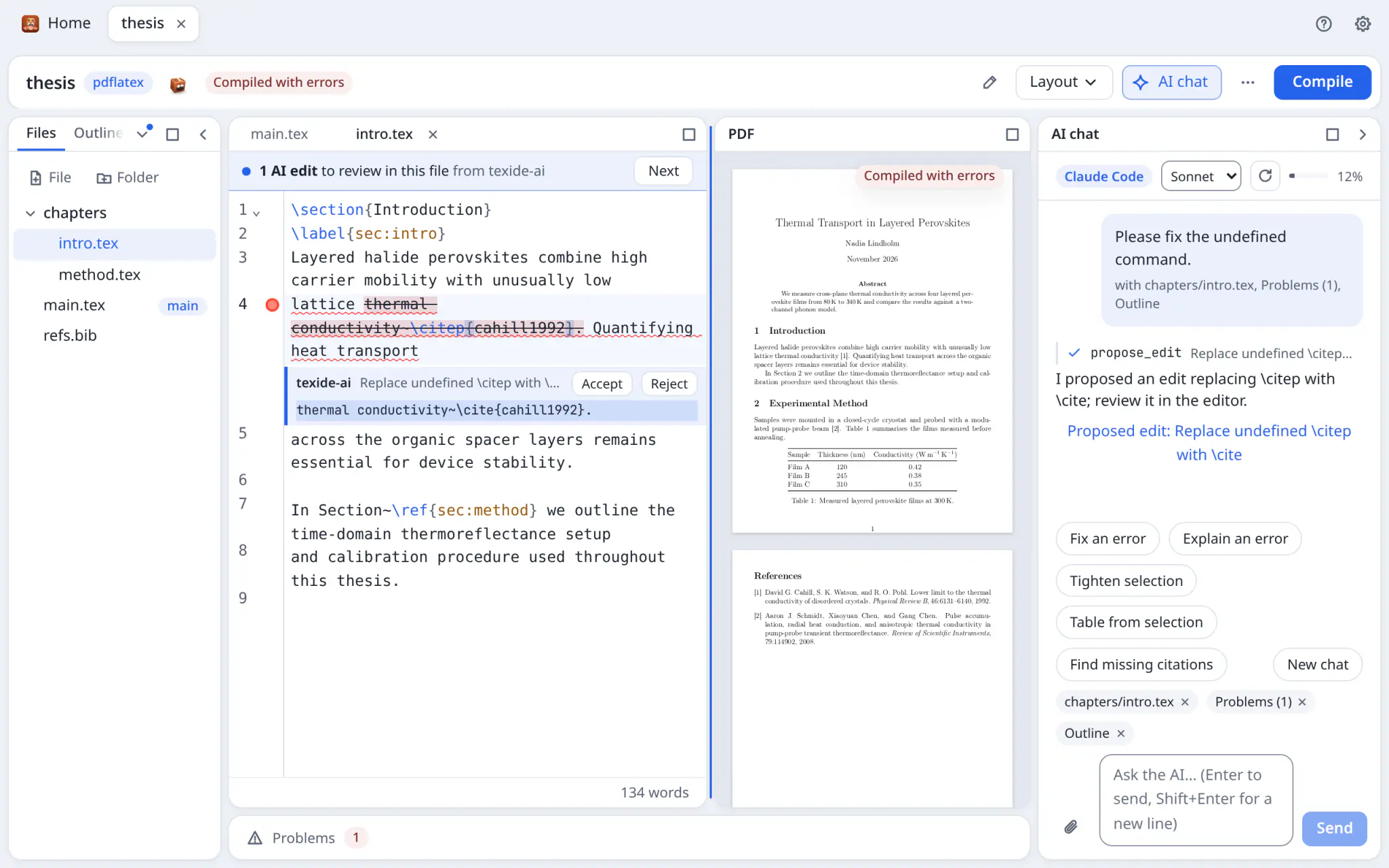
Ask the AI chat to fix or explain an error, tighten a selection or find missing citations: with your Claude subscription through Claude Code, an Anthropic or OpenAI key, or a local Ollama. Claude Desktop, Claude Code and Cursor can connect too.
Every edit is a proposal. Here it offers to replace \citep with \cite; nothing is written to your files until you click Accept.
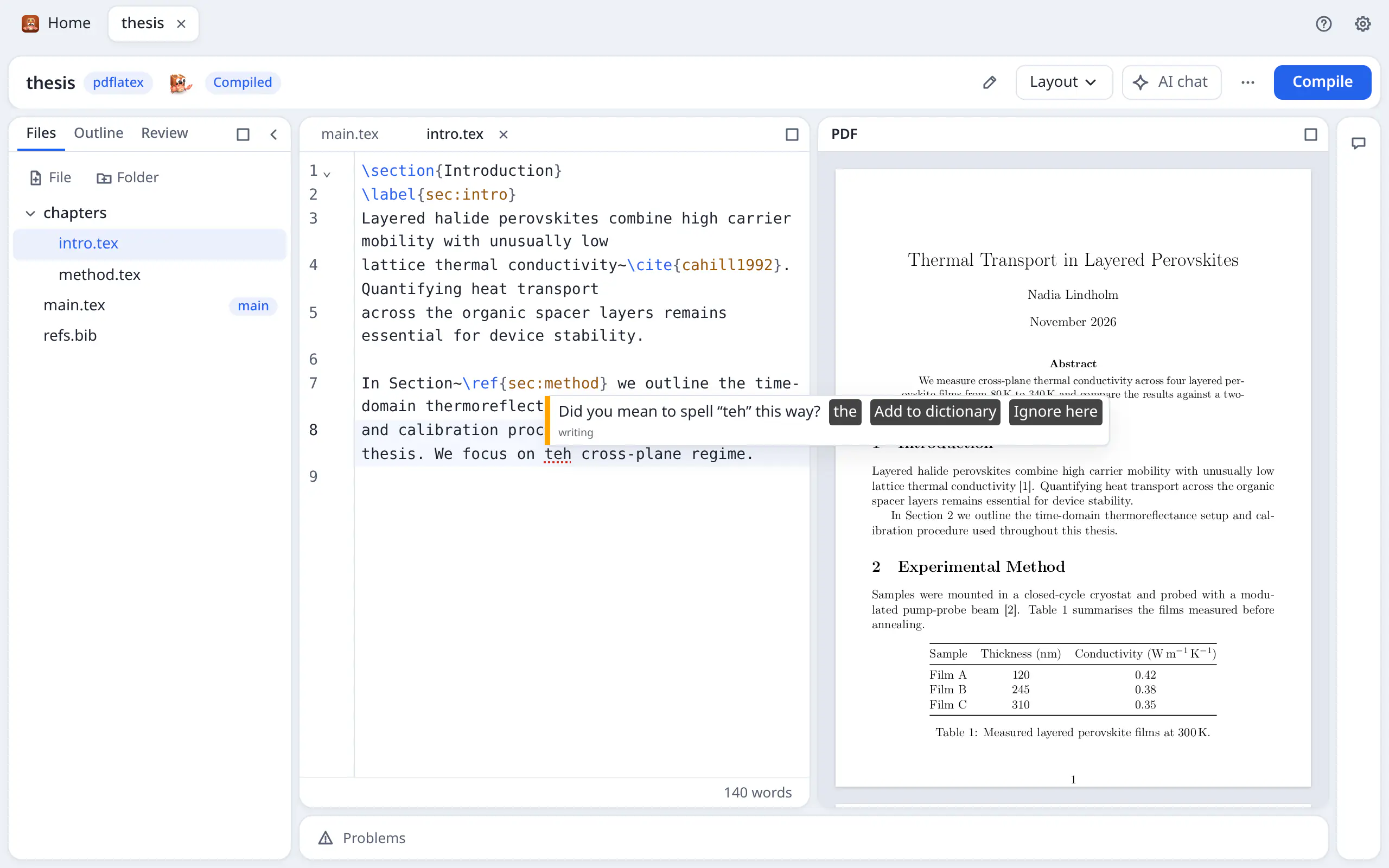
Spelling and grammar, checked on your computer
Harper reads your prose as you write and skips commands, math and citations. Here it catches “teh” in the introduction and offers “the”. No text is sent anywhere. English only.
Also in the box: a project dictionary, a word count, a table builder, a command palette, and bibliography checks with DOI lookup.

Your files stay on your computer.
TexIDE is a desktop app. Your project is a folder on your disk. Only four things go online: package installs, the AI provider you choose, DOI or arXiv lookups (which send just the id), and a check for new versions, which you can turn off.
No zip yet?
Start from a template: article, report or thesis, Beamer, IEEE, ACM, Springer LNCS, Elsevier, CV or letter.
| Installer | File | Size | SHA-256 |
|---|---|---|---|
| Windows setup (.exe) | |||
| Windows MSI (.msi) | |||
| Linux AppImage | |||
| Linux RPM (.rpm) |
All installers are on GitHub Releases.
Check a download against its SHA-256: sha256sum <file> on Linux, Get-FileHash <file> in PowerShell.